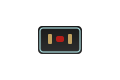
Thunderbolt 5 (USB-C)

Thunderbolt 5 is the latest Thunderbolt standard, delivering 80Gbps bidirectional bandwidth (or 120Gbps unidirectional) through a USB-C connector. It supports 8K@60Hz video via DisplayPort 2.1 tunneling and up to Up to 240W (USB PD 3.1). Found on the newest Intel and Apple devices from late 2024 onward. Fully backward compatible with Thunderbolt 4, 3, and USB4.
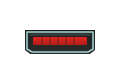
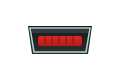
USB Micro-B (USB 2.0)

USB Micro-B 2.0 at 480Mbps is the classic Micro-USB port found on PS4 and Xbox One controllers, e-readers, older smartphones, and budget accessories. Supports up to Up to 2.5W charging. One of the most widely used connectors in history, though rapidly being replaced by USB-C. The small, flat connector is directional — it only plugs in one way.

USB Micro-B (USB 3.0)

USB Micro-B 3.0 at 5Gbps is the wide Micro-USB connector found on portable external hard drives and some older Samsung Galaxy phones. The wider plug has a distinct shape that doesn't fit standard Micro-USB ports. Backward compatible with USB 2.0 Micro-B using the smaller half. Largely obsolete — replaced by USB-C on modern devices.

USB Mini-B (USB 2.0)

USB Mini-B 2.0 at 480Mbps is a legacy connector found on older digital cameras, GPS devices, PS3 controllers, and some audio equipment. Supports up to Up to 2.5W charging. Larger than Micro-USB but smaller than Type-B, it was the standard portable USB connector before Micro-B took over around 2007. Now effectively obsolete for new devices.

USB Type-A (USB 2.0)

USB Type-A 2.0 at 480Mbps is the classic rectangular USB port — still found on nearly everything. Handles keyboards, mice, game controllers, and basic peripherals at 480Mbps. Provides up to Up to 2.5W charging. This is the slowest USB standard still in common use, but perfectly fine for low-bandwidth devices.

USB Type-A (USB 3.2 Gen 1)

USB Type-A with USB 3.2 Gen 1 (formerly USB 3.0) at 5Gbps is the standard SuperSpeed USB-A port. Found on the vast majority of desktops, laptops, TVs, and gaming consoles. Powers accessories at up to Up to 4.5W and handles external drives, controllers, and keyboards. The blue internal tongue identifies USB 3.x — black means USB 2.0.

USB Type-A (USB 3.2 Gen 2)

USB Type-A with USB 3.2 Gen 2 at 10Gbps is the fastest standard USB-A port. Found on high-end desktops, workstations, and some gaming laptops. Provides up to Up to 7.5W and handles external SSDs at near-maximum speed. The rectangular shape fits both USB 2.0 and 3.0 devices — fully backward compatible.

USB Type-B (USB 2.0)

USB Type-B 2.0 at 480Mbps is the standard square printer connector — the most common USB Type-B variant. Found on printers, scanners, older audio equipment, and some instruments. The simple square shape with beveled corners is easy to identify. Being replaced by USB-C on newer devices, but still ships with most printers.

USB Type-B (USB 3.2 Gen 1)

USB Type-B with USB 3.2 Gen 1 at 5Gbps is the standard square upstream connector for printers, audio interfaces, monitors with USB hubs, and external DACs. Identifiable by its blue SuperSpeed markings and distinct squared-off shape. Backward compatible with USB 2.0 Type-B devices.

USB Type-B (USB 3.2 Gen 2)

USB Type-B with USB 3.2 Gen 2 at 10Gbps is the square upstream connector found on high-speed audio interfaces, professional monitors with USB hubs, and studio equipment. The distinct square shape prevents accidental connection to the wrong device. Less common than Gen 1 — mostly found on premium peripherals.

USB Type-C (USB 2.0)

USB Type-C with USB 2.0 at 480Mbps is a charging-and-basic-sync connector — no fast data transfer. Supports Up to 15W and is commonly found as charging-only ports on headphones, budget tablets, and some game controllers. Don't confuse the USB-C shape with performance: this port runs 83× slower than USB4 despite looking identical.

USB Type-C (USB 3.2 Gen 1)

USB Type-C with USB 3.2 Gen 1 at 5Gbps data speed is the baseline SuperSpeed USB-C port. Supports Up to 15W and handles external drives, hubs, and accessories at reasonable speeds. Found on mid-range laptops, tablets, and budget docks. Same physical USB-C shape as faster USB4 and Thunderbolt — the spec determines speed, not the plug.

USB Type-C (USB 3.2 Gen 2)

USB Type-C with USB 3.2 Gen 2 at 10Gbps data speed is the sweet spot for most modern peripherals. Supports Up to 100W (USB PD 3.0) and optional DP Alt Mode for video output on supported devices. This is the most versatile USB-C tier — fast enough for external SSDs and drives, widely available, and backward compatible with USB 3.1, 3.0, and 2.0.

USB Type-C (USB 3.2 Gen 2×2)

USB Type-C with USB 3.2 Gen 2×2 delivers 20Gbps bandwidth using dual-lane operation. It supports DP Alt Mode video (up to 4K@60Hz), fast data transfer, and Up to 100W (USB PD 3.0). Found on high-performance external SSDs, docks, and some desktop motherboards. Not as common as Gen 2 (10Gbps) — check your device specs to confirm 20Gbps support.

USB Type-C (USB4 40Gbps)

USB Type-C with USB4 at 40Gbps bandwidth carries data, video (DP Alt Mode for 8K@30Hz), and up to Up to 240W (USB PD 3.1) through a single cable. This is the baseline USB4 specification found on modern laptops and docks from 2022 onward. Backward compatible with all USB 3.x and USB 2.0 devices. Requires certified USB4 cables — standard USB-C cables won't deliver full performance.

USB Type-C (USB4 80Gbps)

USB Type-C with USB4 Version 2.0 at 80Gbps bandwidth is the fastest USB standard available. It handles 8K@60Hz video via DP Alt Mode, data transfers at 80Gbps, and Up to 240W (USB PD 3.1). Found on the newest 2024+ high-end laptops. All USB4 80Gbps ports are backward compatible with USB4 40Gbps, USB 3.2, USB 2.0, Thunderbolt 3, and Thunderbolt 4.

VGA (D-Sub 15)

The VGA (D-Sub 15) is the classic analog video connector — 15 pins in three rows on a D-shaped plug. Supports resolutions up to 2048x1536 with progressive signal degradation at higher resolutions. Still found on projectors, older monitors, and legacy enterprise equipment. Video only — no audio. Being phased out in favor of HDMI and DisplayPort.

Wii Sensor Bar Port

Proprietary 2-pin connector on the Nintendo Wii and Wii U for the infrared Sensor Bar. Provides power to the bar's IR LEDs for Wii Remote tracking. This is a legacy connector specific to its console generation — no modern equivalent exists.

XLR (3-pin Balanced Audio)

The XLR (3-pin Balanced Audio) is the professional standard for balanced audio connections. Found on microphones, studio monitors, PA systems, and high-end audio interfaces. The balanced design rejects electromagnetic interference over long cable runs — that's why every recording studio and live venue uses XLR for critical audio signals.

Item added to cart.
0 items - 0,00